Best Virtual Staging Software in 2026: 9 Tools Compared
Updated September 27, 2026 · 6 min read
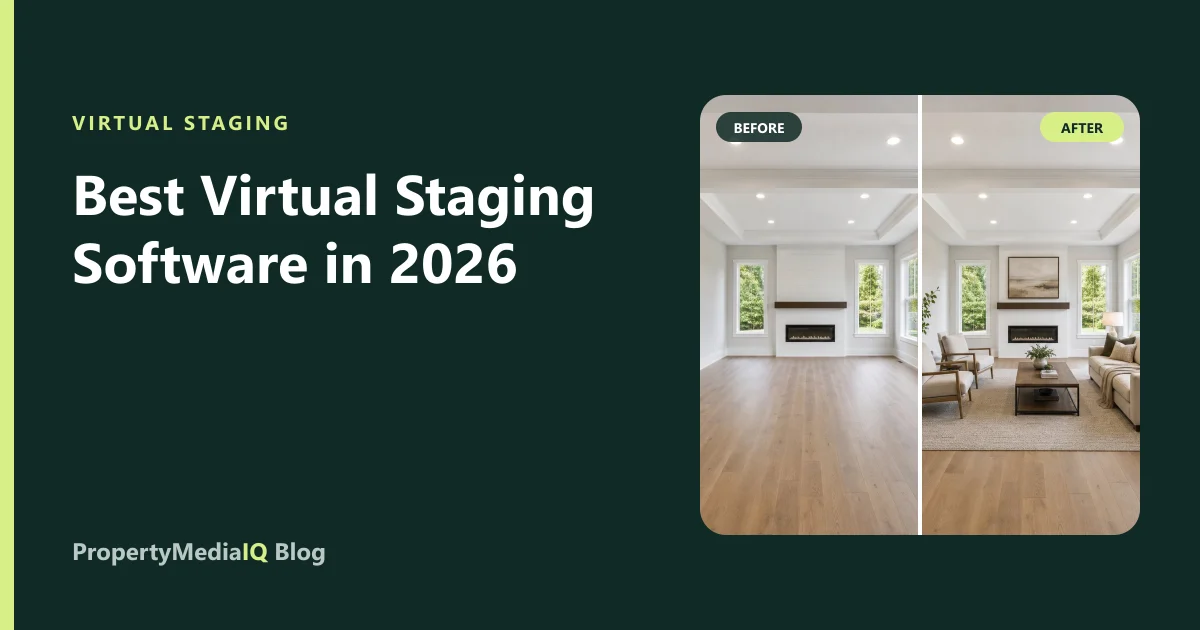
Virtual staging software has split into three categories: AI tools that stage a photo in seconds, human-designer services that model each room in 3D, and DIY editors where you place furniture yourself. The right choice depends on your volume, budget, deadlines, and how much you want to review results yourself.
We compared nine widely used options on the things that decide total cost and quality: price per photo, turnaround, revisions, and what each is best for. We are one of the tools on this list, so we've kept to published facts and been explicit about where others are the better fit.
Competitor prices and features are from each company's public pages and independent reviews as of September 2026. They change often — confirm before you buy.
At a glance
| Tool | Type | Published price | Turnaround | Revisions | Best for |
|---|---|---|---|---|---|
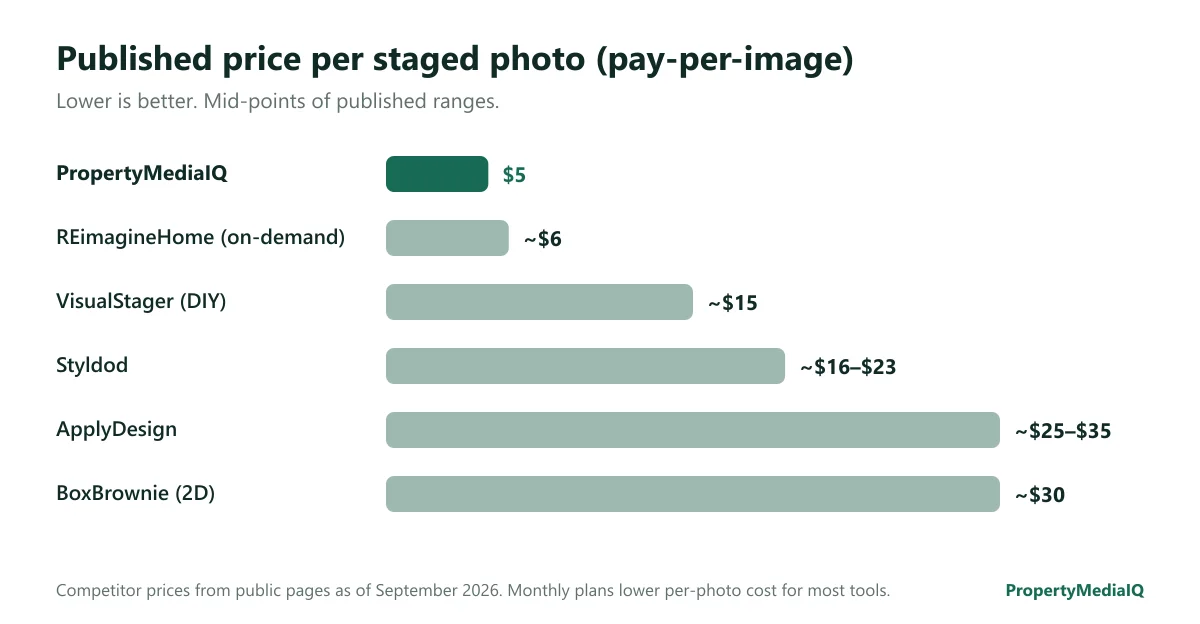
| PropertyMediaIQ | AI + optional human review | $5/photo pay-as-you-go; plans from $25/month | Under 2 minutes; Done For You ~1 business day | Complimentary | Agents who want staging plus video and buyer qualification in one place |
| Virtual Staging AI | AI | $16–$79/month (6 to 150 photos), yearly billing | Seconds | Unlimited re-renders on paid plans | High-volume AI staging on a subscription |
| BoxBrownie | Human designer | ~$30 per 2D image | 24–48 hours | By request | Peak realism when time allows |
| Styldod | Human designer | ~$16–$23 per image | 24–48 hours | Unlimited | Designer staging at a mid price |
| REimagineHome (by Styldod) | AI | ~$6/image on-demand or from $19–$27/month | Minutes | Varies by plan | Low-cost AI with a human option from the same company |
| ApplyDesign | AI | ~$25–$35 per image | Minutes | Varies | Occasional, per-image use |
| PadStyler | AI + human option | From $16/month for 6 AI photos; human ~$19/image | Seconds (AI); 24–48h (human) | Varies | Choosing AI or human per photo |
| Collov AI | AI | Credit-based, ~$0.24/credit at top tier | Minutes | Free revisions | Very high volume at low unit cost |
| VisualStager | DIY editor | ~$15 per image | As long as your edit takes | Unlimited (you edit) | Full manual control |
How we compared them
We looked at five criteria that decide real-world value:
- Result quality — realistic scale, perspective and lighting, and, critically, preserved architecture: windows, doors, floors and fixtures must not change. See how AI staging works.
- Total cost per usable photo — not just the headline price, but revisions, unlocking full resolution, and minimums.
- Turnaround — minutes vs. days changes how you schedule listings.
- Revisions — free redos are worth more than a slightly lower price.
- Compliance support — originals kept, disclosure wording, and a workflow that makes honest staging the default. See MLS photo rules.
The tools in detail
1. PropertyMediaIQ — best all-in-one for agents
AI staging in six styles (Modern, Scandinavian, Luxury, Coastal, Industrial, Traditional) with up to four previews per photo and complimentary revisions, plus eleven other photo services — furniture removal, decluttering, enhancement, sky, twilight, exterior, landscaping, renovation, kitchen and bath concepts, and floor plans. Optional human review through Done For You.
What makes it different is what's beyond staging: Property Video turns staged photos into short cinematic clips, and Buyer Intelligence qualifies the leads those listings generate. Each is sold separately.
- Price: $5 per staged photo; Starter $25/month (30 photos), Pro $49/month (150 photos, 4K, batch, API); Listing Packages from $39 per property.
- Best for: agents and teams who want one workspace from listing photos to qualified buyers.
- Consider another tool if: you only need the lowest unit price at very high volume.
2. Virtual Staging AI — fast AI on a subscription
AI-first and now owned by Zillow Group. Renders in seconds with unlimited re-renders on paid plans. Subscription-only, billed yearly.
- Best for: agents staging steadily every month who want a simple subscription.
- Consider another tool if: you stage occasionally and don't want a yearly commitment, or you want human review.
3. BoxBrownie — human-designer realism
Each image is hand-built by a designer using 3D software. Strong realism, higher price, and turnaround measured in days.
- Best for: high-end listings when there's time before launch.
- Consider another tool if: you need results today or stage in volume. See BoxBrownie alternatives.
4. Styldod — designer staging at a mid price
Human-designed staging with unlimited revisions at a lower price than BoxBrownie.
- Best for: agents who want a human in the loop at moderate cost.
5. REimagineHome — Styldod's AI line
Lower-cost, faster AI staging from the same company, available on-demand or by subscription.
- Best for: trying AI staging cheaply with a human-designer option nearby.
6. ApplyDesign — per-image AI
AI staging priced per image. Simple for occasional use; more expensive per photo than subscription AI tools at volume.
7. PadStyler — choose AI or human per photo
A low-cost AI tier alongside bespoke human staging — useful when some photos need a designer's touch.
8. Collov AI — low unit cost at scale
Credit-based pricing that becomes very cheap at the top tier, with free revisions. Positioned as an interior-design visualization tool that also covers staging.
9. VisualStager — do it yourself
Not AI: you drag and drop furniture onto the photo yourself. Full creative control, but the labor — and the realism — are up to you. See how to virtually stage a room: DIY vs. AI.
What a good result looks like
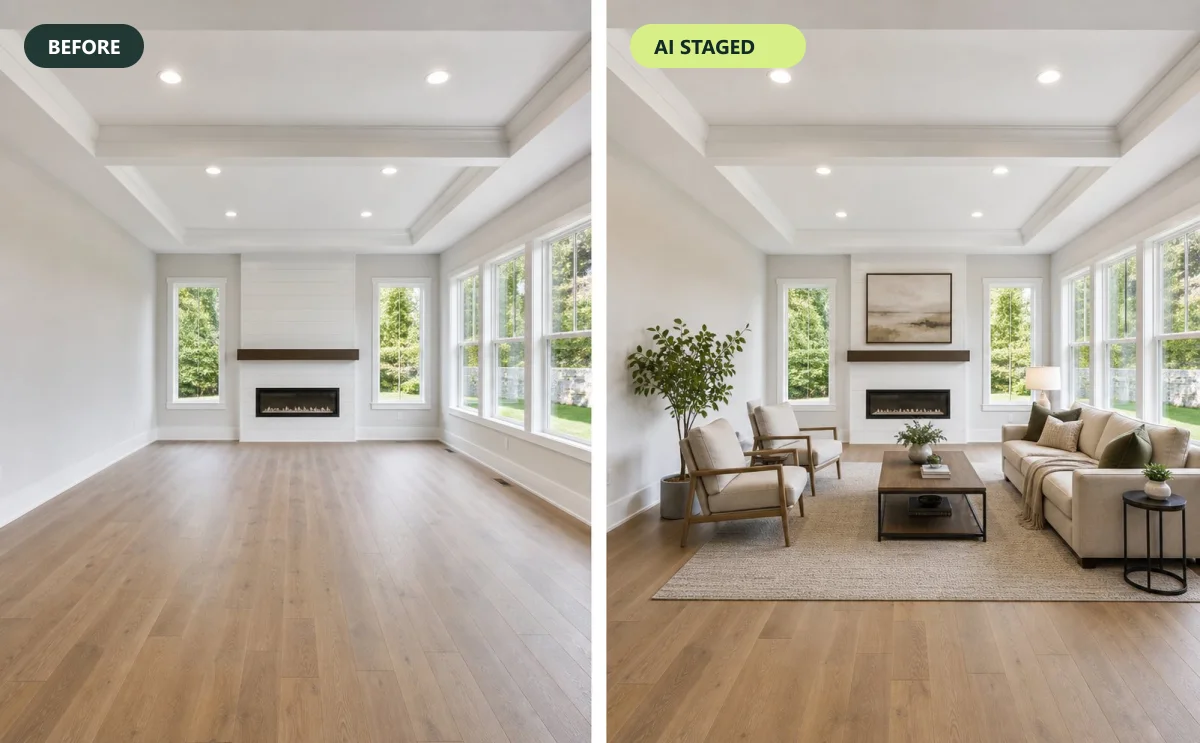
Whatever tool you choose, check every result for:
- furniture that fits the room's scale and perspective;
- shadows consistent with the windows;
- no changed walls, windows, floors, fixtures or views;
- a style appropriate for the price point and likely buyer.
The most common failures are covered in 7 virtual staging mistakes.
Which tool should you choose?
| If you… | Consider |
|---|---|
| Want staging, video and buyer qualification in one workspace | PropertyMediaIQ |
| Stage every week and want a simple subscription | Virtual Staging AI, PropertyMediaIQ Pro |
| Need the highest hand-crafted realism and have time | BoxBrownie, Styldod |
| Stage once or twice a year | Pay-per-photo: PropertyMediaIQ ($5), REimagineHome on-demand |
| Stage hundreds of photos a month | Collov AI, PropertyMediaIQ Team/Brokerage |
| Want to place every piece yourself | VisualStager |
| Want AI speed but a human check on important listings | PropertyMediaIQ Done For You, PadStyler |
Run a 15-minute test before committing
Pick three of your photos — an empty living room, a small bedroom, and an occupied room — and run them through two or three tools. Score architecture preservation, scale, lighting and style, then compare the total cost at your real monthly volume. Our guide to choosing a virtual staging service includes a scoring sheet.
Frequently asked questions
What is the best virtual staging software? It depends on volume and needs: all-in-one agents often prefer PropertyMediaIQ, subscription AI users Virtual Staging AI, and those wanting hand-crafted realism BoxBrownie or Styldod.
Is AI virtual staging good enough for the MLS? Yes, when results preserve the architecture and photos are disclosed as virtually staged.
How much should virtual staging cost? AI staging typically costs a few dollars per photo or less on a subscription; designer staging commonly $16–$35+. Full breakdown: how much virtual staging costs.
Is there free virtual staging? Some tools offer free trials or credits with limits — see free virtual staging: what you really get.
Try it on your own photo
The fastest way to compare is with your own listing. Stage one photo with PropertyMediaIQ for $5 — no subscription, up to four previews, free revisions.
Try it on your own listing photo.
Stage, enhance, or renovate a photo in under two minutes — $5 per photo, no subscription required.